Service 03
Agentic Workflow Automation
Cox & Co Systems builds agentic workflows that streamline day-to-day operations — the repetitive work between the tools a business already runs.
How we keep it safe
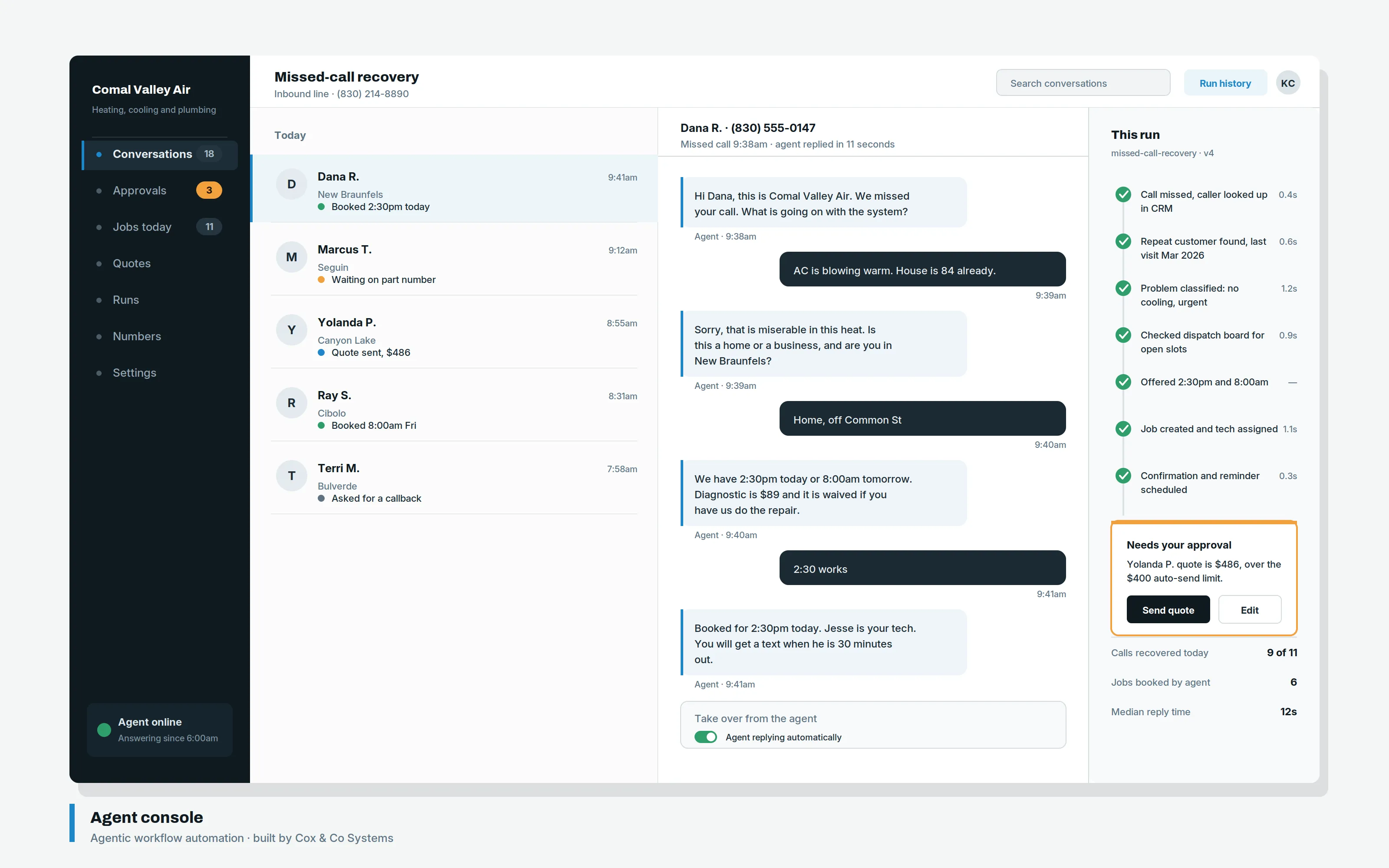
Human approval is required on anything that sends money, signs, or promises.
This is the line that makes automation safe to run unattended. An agent can read an invoice, match it to an order, and prepare the payment. It does not send the payment. It can assemble a reply. A person presses send.
This constraint is not configurable.
What we automate
- 01
Request triage and dispatch
Incoming requests classified and routed to the right person or vendor, without a coordinator reading every message.
- 02
Enquiry qualification and booking
Enquiries screened and placed on the calendar before anyone picks up the phone.
- 03
Document completeness checks
Incomplete paperwork caught on arrival rather than three days later.
- 04
Statement and report drafting
Recurring documents drafted from your own data for review, not rebuilt by hand each month.
- 05
Invoice matching
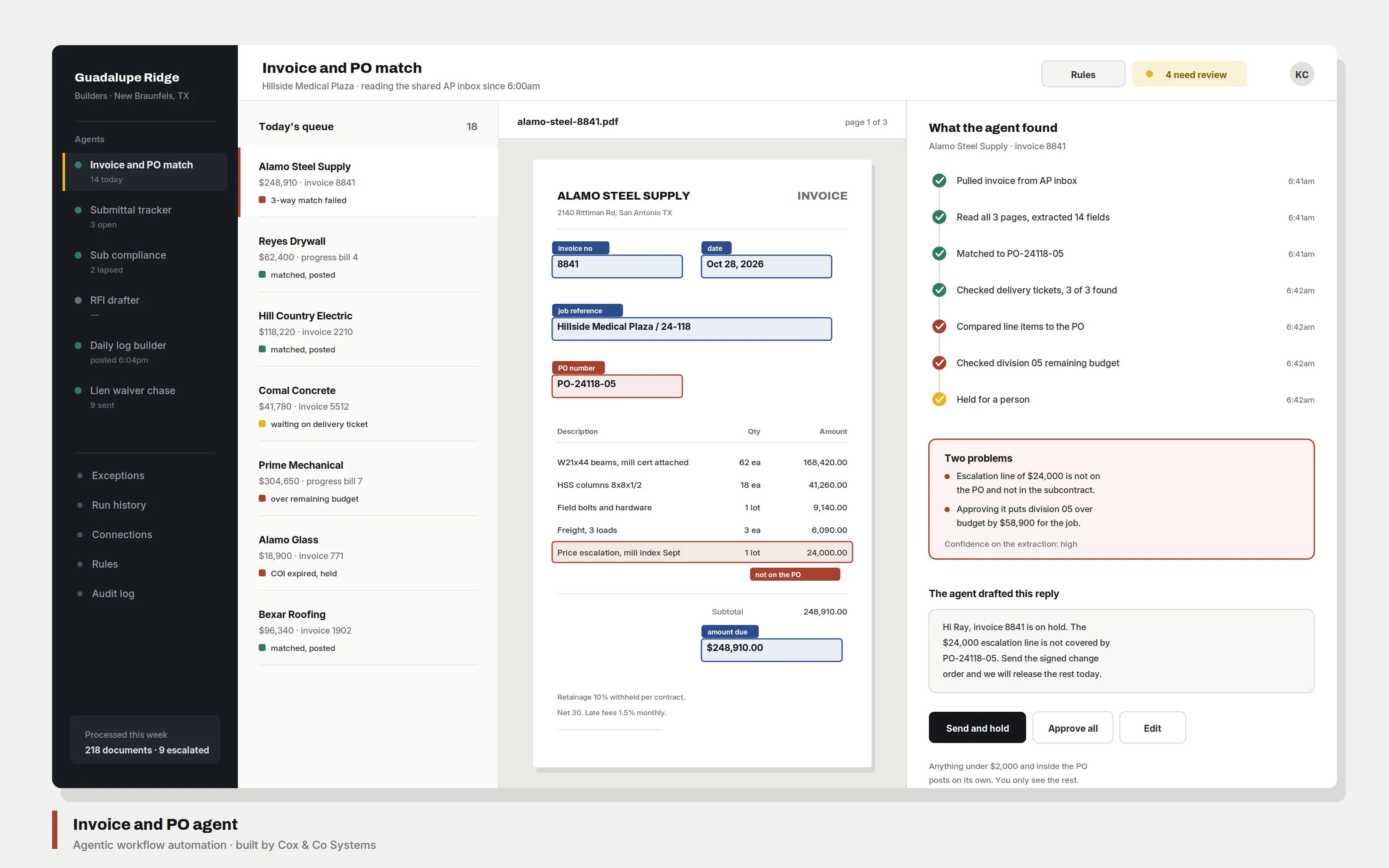
Invoices reconciled against orders automatically, with exceptions flagged for a person.
Each is quoted individually after the process has been observed running. Not every process is worth automating, and Cox & Co will say when one is not.
How we build a workflow
- 01
Observe the real process
The observed process, not the documented one. The work is followed end to end, including the exceptions nobody wrote down.
- 02
Measure the hours
How often it runs, how long it takes. About a third of proposed automations get dropped here for not being worth it.
- 03
Build the failure path
Handling malformed input matters more than the expected case.
- 04
Hand over the runbook
What it does, what it touches, how to pause it, who to call. Written before it goes live.
What it looks like
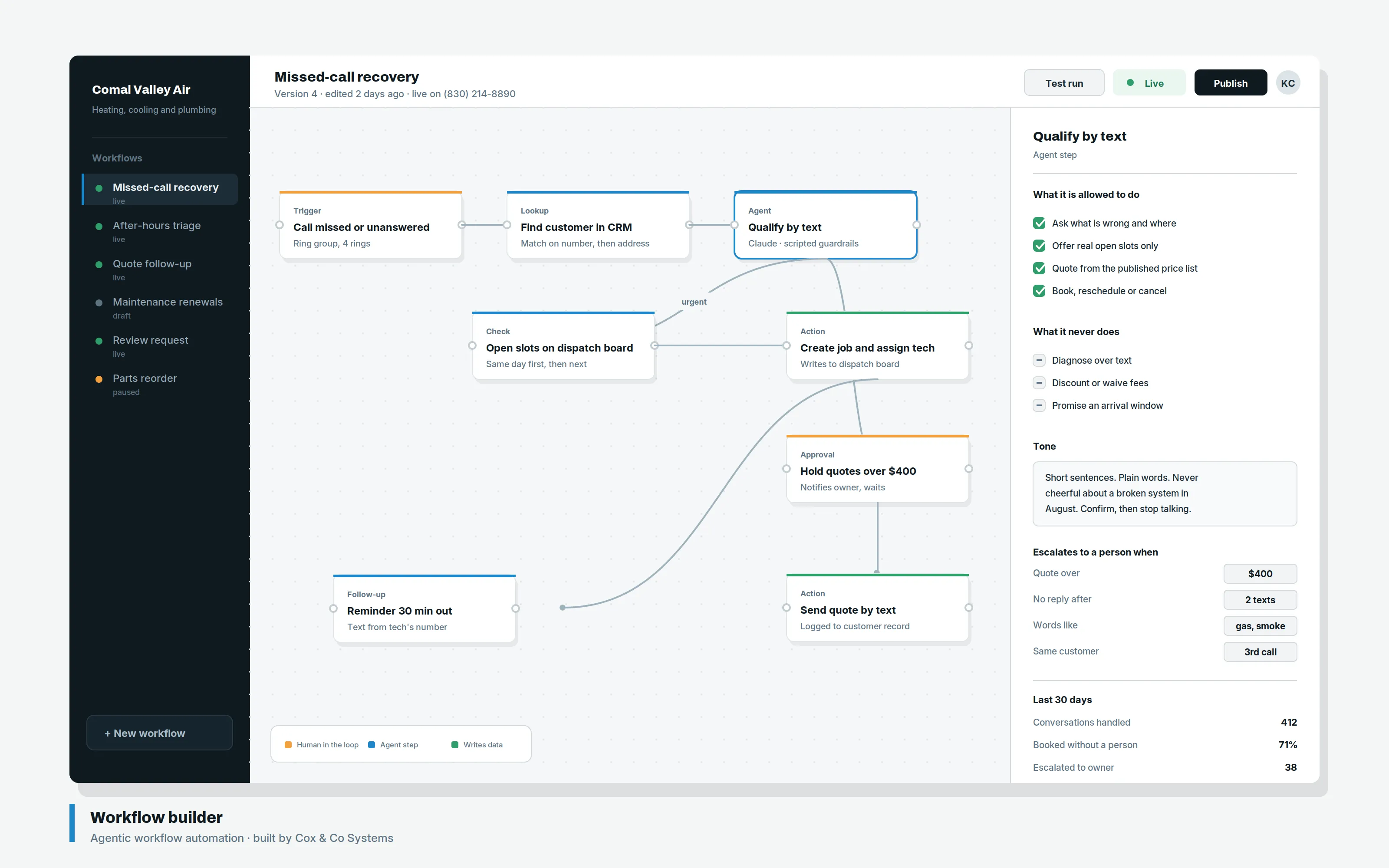
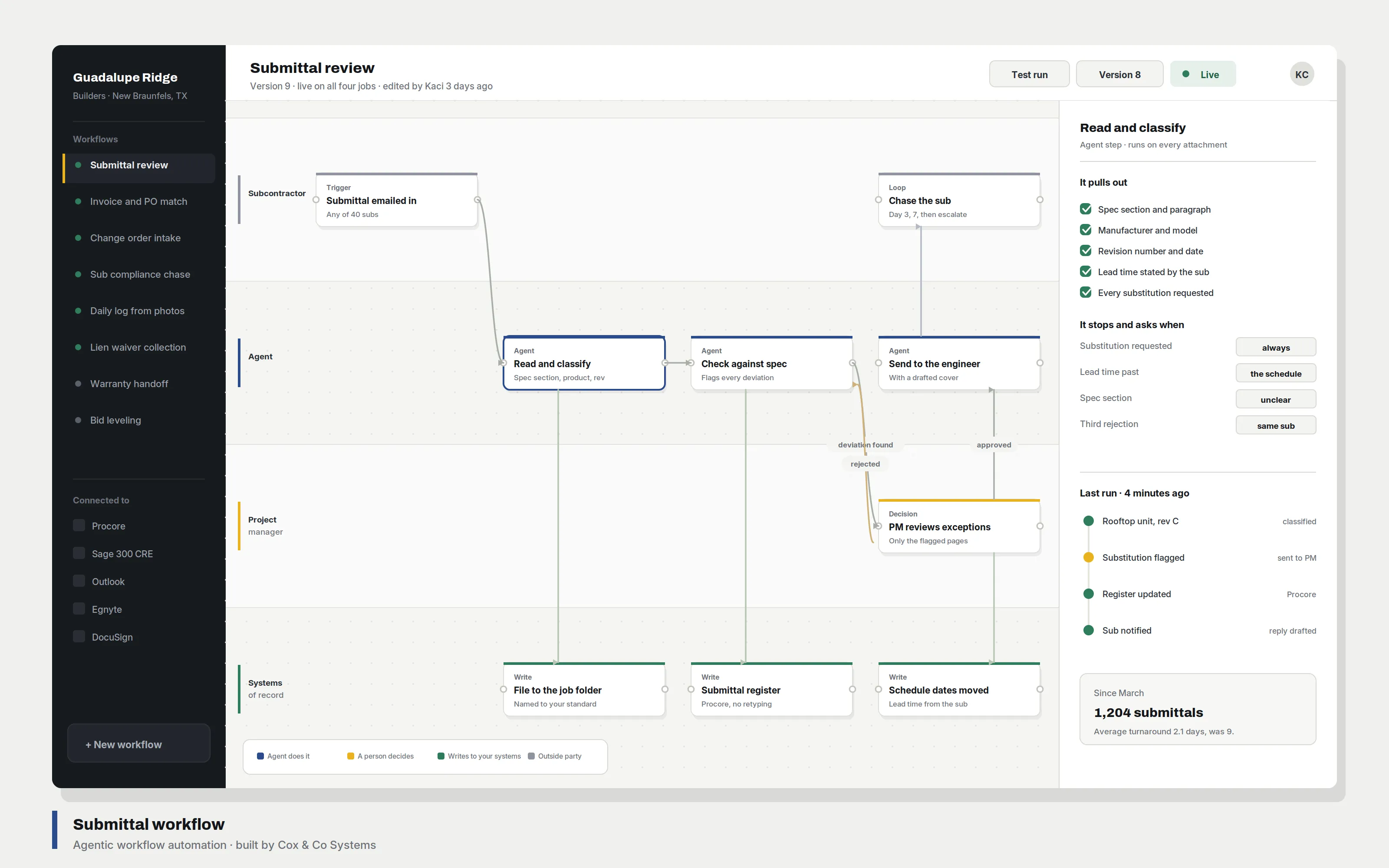
Product demonstrations using sample data. The approval gate in the right-hand column is the part that matters: the agent stops there.
How an agent runs a task
Each stage is inspectable, and the run stops at approval unless a person releases it.
Scroll horizontally on a narrow screen. Every stage writes to a log, so a run can be audited after the fact rather than taken on trust.
Advanced AI capabilities
Beyond intake and routing. Each of these is built to specification and quoted individually.
- Document intake and extraction
- Invoices, applications, and forms read on arrival. Fields extracted into your systems, exceptions flagged rather than guessed.
- Knowledge assistants over your own documents
- A retrieval assistant answering from your policies, contracts, and manuals — with citations back to the source, so answers can be checked.
- Multi-step agent orchestration
- Several agents handing work between them across systems, with a defined failure path at every step.
- AI drafting with review
- Replies, quotes, statements, and reports drafted from your data. A person edits and sends.
- Classification and routing
- Incoming work sorted by type, urgency, and owner, so nothing waits on a human triaging an inbox.
- Evaluation and guardrails
- Every workflow ships with test cases and refusal rules, so behaviour is measured rather than assumed.
An example run
What the log looks like when an after-hours call comes in and nobody answers. Every stage is timestamped and inspectable afterwards.
Run log
Missed-call intake
- 19:42:07 Received Missed call from +1 512 555 0142 · 11 sec, no voicemail
- 19:42:08 Classified New enquiry · confidence 0.94 · routed to intake
- 19:42:09 Context No existing record · first contact
- 19:42:11 Sent SMS: acknowledgement + two qualifying questions
- 19:47:33 Reply Caller answered both · job type and timeline captured
- 19:47:35 Drafted Booking proposal for Thu 09:00 · calendar slot held
- 19:47:35 Awaiting approval Booking confirmation requires a person
- — Confirm & log Runs once approved
The run stopped on its own. Holding a calendar slot is reversible, so the agent did it. Confirming the booking is a commitment, so it waits for a person.
FAQ
Common questions
What is an agentic workflow?
An AI agent that carries a task through several steps rather than answering a single prompt — reading an incoming request, classifying it, pulling what it needs from your systems, and preparing the next action. The difference from a chatbot is that it does work, not conversation.
Does this replace the software already in use?
No. Automation connects what is already running and removes the manual steps between systems. Replacing a system of record is expensive, disruptive, and usually the wrong trade.
What if the agent makes a mistake?
Every workflow has a defined failure path: it flags for human review rather than guessing. Nothing that sends money, signs, or makes a promise runs without a person approving it first. This is not configurable.
Which process should be automated first?
Whichever costs the most hours, which is not always the most visible one. It gets measured before it gets recommended.
Can one be bought on its own?
Yes. One workflow running properly says more about whether this is worth continuing than three half-finished ones.
What happens to the workflows if the engagement ends?
They run in accounts you own, and the runbook documents each one — what it does, what it touches, and how to switch it off.